

Want to see all your driving insights for a trip in one place, rather than switching between individual drive fragments of a trip?
Whether you went on a short weekend getaway or took a multi-week holiday with the family, it’s easy to group together your drives and charges from a road trip.
See all your stats in one place
First, download TezLab if you don’t already have it on your phone.
To access your Road Trips:
- Click into the second tab on the app (with the “⚡” icon)
- At the top of the screen, select “Road Trips” to create a new road trip
- select your start and end drives to get an immediate summary of your trip, including all your driving stats
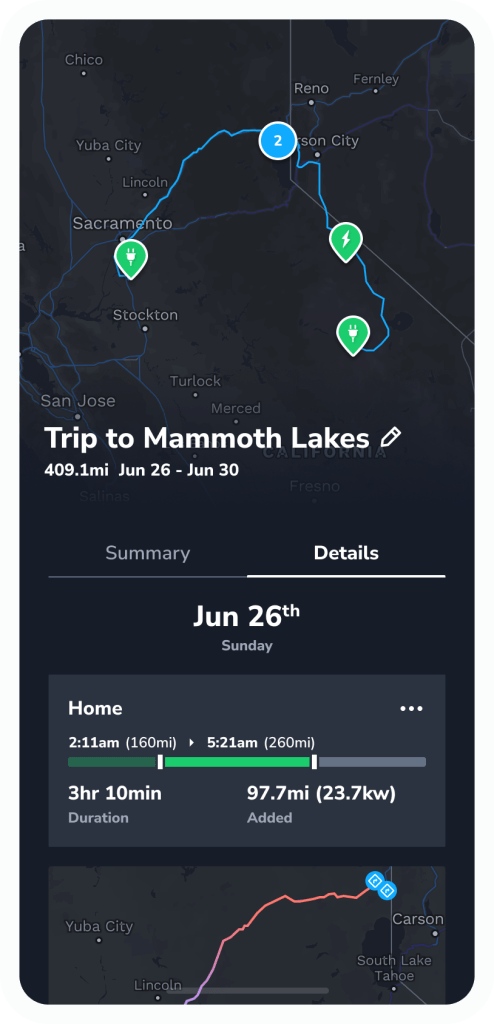
Dive into your trip details
Summary
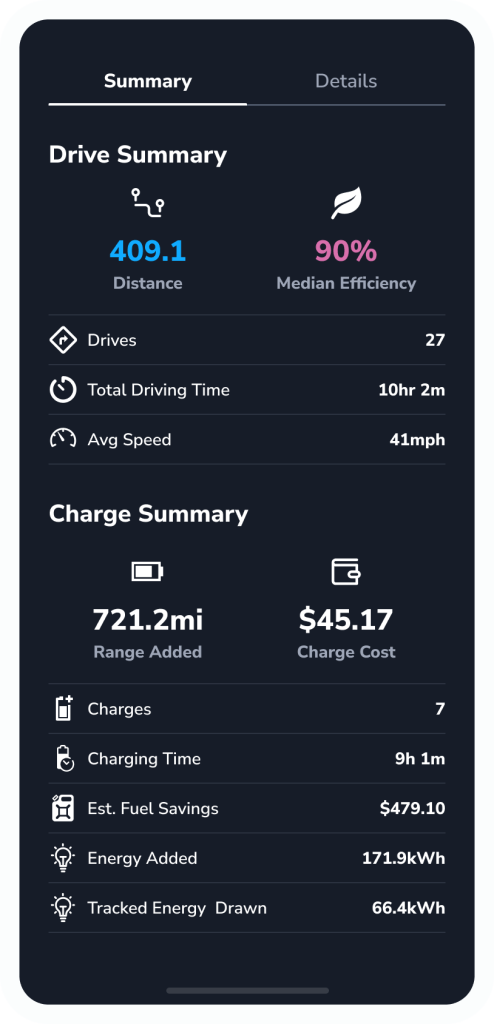
In your road trip summary, you’ll unlock information on your drive, including:
- Distance traveled
- Median efficiency
- Drives
- Driving time
- Average speed
- Estimated fuel savings
You’ll also unlock a charge summary, including information on:
- Range added
- Charging cost
- Number of charges
- Charging time
- Energy added
- Tracked energy drawn
- Estimated CO₂ contributions
Details
In the Details tab, you’ll find a day-by-day breakdown on the drives and charges that make up your road trip.
Each detail is color-coded by efficiency, and you can click into the event to explore all the details.
Note: Road Trips is available on the TezLab Pro plan, available for purchasing or gifting here.
Want help planning your next road trip?
Browse our best-in-class Supercharger map!
Access it from your phone using the TezLab app, or check out the public Supercharger map, available online.
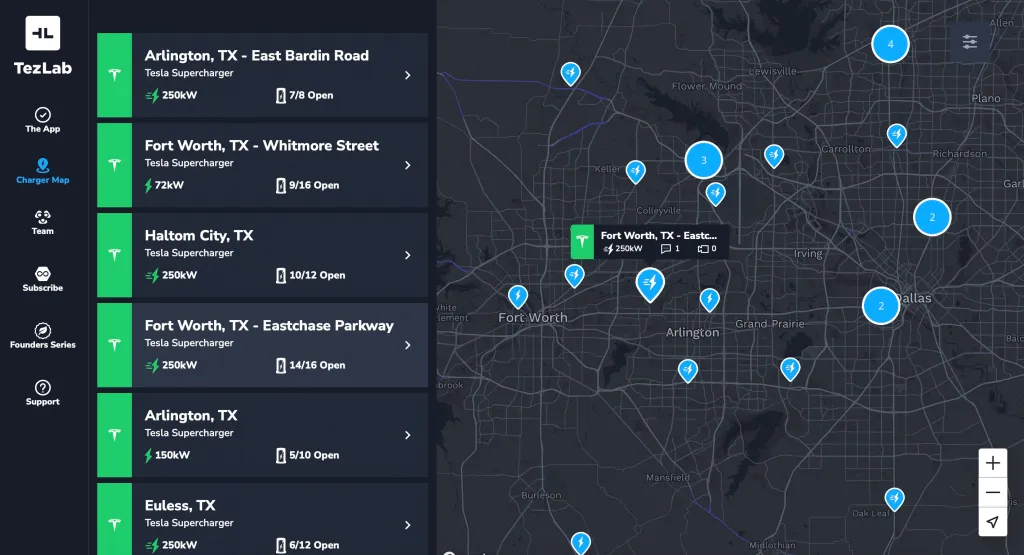
Check out our blog post on planning your trip with the Supercharger map to learn more.
We’ve added some fun games and additional information to assist during your next road trip.
Happy driving!
 Tezlab Blog
Leave a comment