

For many professionals who rely on their Tesla for commuting and business trips, it’s important to report mileage and travel expenses for reimbursement.
To learn how to tag your drives for work in Tezlab before exporting, see our post on tagging your Tesla drives by category.
We caught up with Ian W., a consultant from Sydney, Australia, to hear how he tracks and submits his Tesla mileage and charging costs for work.
Manual vs. Automatic Tracking
Ian uses the “Data Export to CSV” feature in TezLab to automatically track his mileage and charging costs, which he exports monthly to send to his main client.
In the past, Ian manually recorded the time on his trips, jotting down distance traveled and driving time on a notepad. He tried to then transfer his notes into a spreadsheet manually every week or so. It was a time-consuming and exhausting process.
Since downloading Tezlab, Ian has used the app to automatically track his drives, then to export a breakdown of his mileage and charging data to a CSV file.
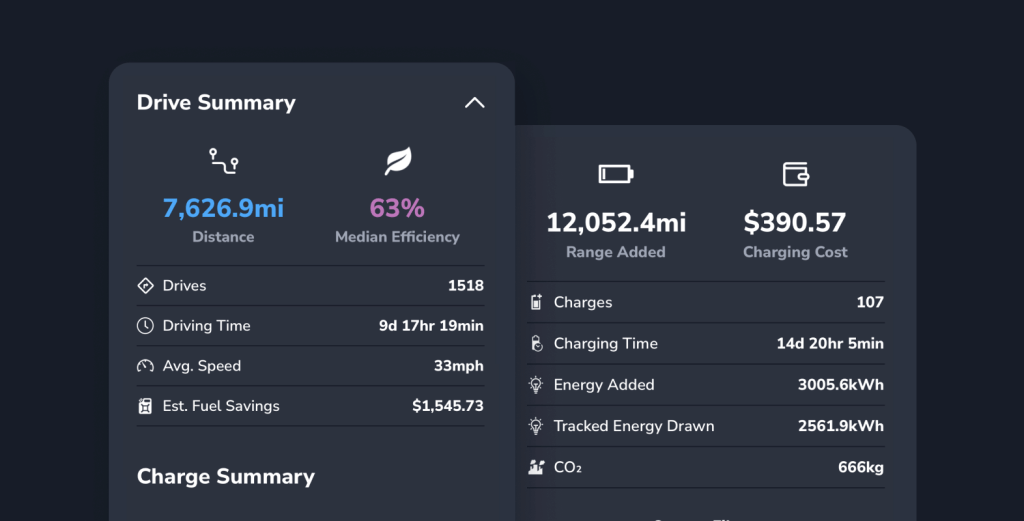
The exported file includes all his driving data, including total distance covered, total driving time, charging time, and charging costs.
Saving time
The convenience of automatic tracking and the “Data Export to CSV” feature has been a game-changer for him.
Without wasting time on manual tracking, he can submit reports for reimbursement without any delays.
“I trust that the mileage records are precise and reliable. It all seamlessly integrates with my Tesla and makes expense reporting a breeze.”
– Ian W., Tesla driver in Sydney, Australia
Beyond the convenience, Ian appreciates the insights he’s gained from the exported data. Analyzing his driving patterns, distance covered, and charging costs has encouraged him to improve his driving efficiency.
Easy reporting
If you don’t currently report your travel time and expenses for reimbursement, it might be worth investigating the possibility.
To automatically track your drives and charging expenses, download Tezlab.
Happy driving!
 Tezlab Blog
Leave a comment