
charging
-
Control your EV from your Apple Watch
In: Feature Tour
If you have an Apple Watch, you’re probably already familiar with the freedom of not needing to carry your phone at all times. Now you can use your watch for easy access to your Tesla. With fast controls, convenient charging info, and other improvements to the TezLab app on Apple Watch, it’s a no brainer…
-
Your Carbon Impact Report
In: Feature Tour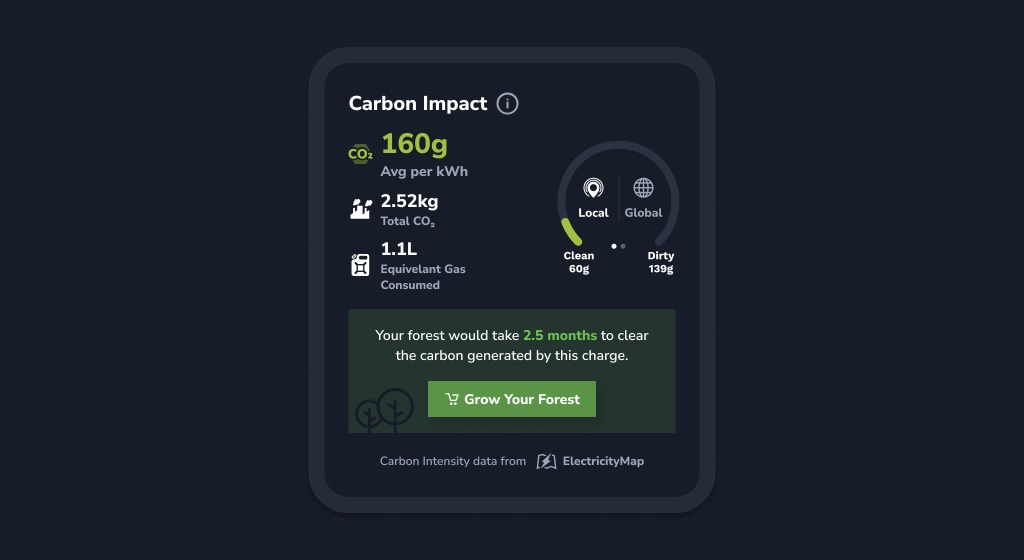
Understand the carbon impact of the electricity you use to charge your electric vehicle. While your EV may not rely on fossil fuels at the gas pump, you’re still likely contributing to CO₂ emissions when you charge. Find your report Find details of recent charges CO₂ is often released during the electricity production process, which…
-
Find Top Superchargers Based on Real Recent Charges
In: Feature Tour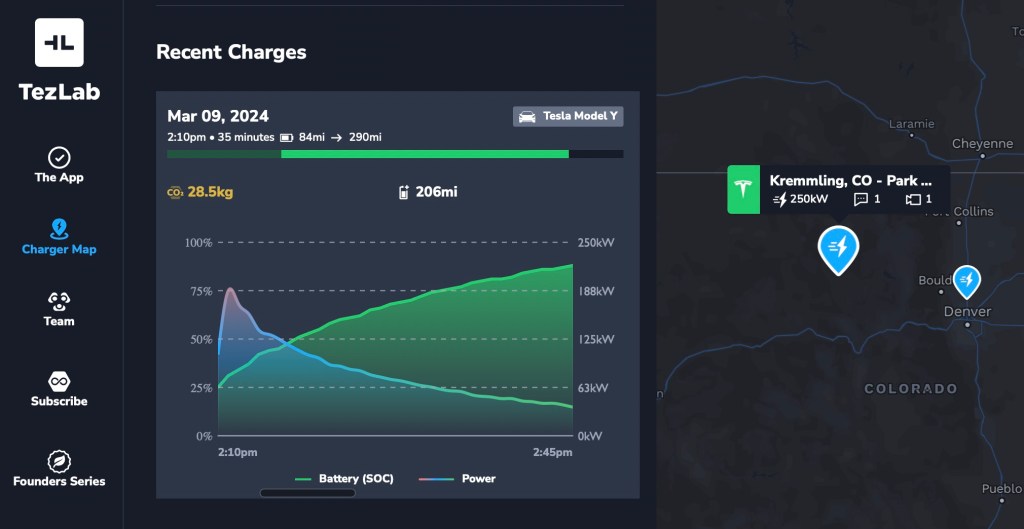
Looking for the best Supercharger for your trip? Use real anonymized recent charges to help you choose the best charger. Maximize your time, and make the most out of your charge stop. How to access recent charges From there, you can swipe through the most recent anonymized charges to get a sense of how well…
-
New EV Usage Reports are More Epic than Ever
In: App Update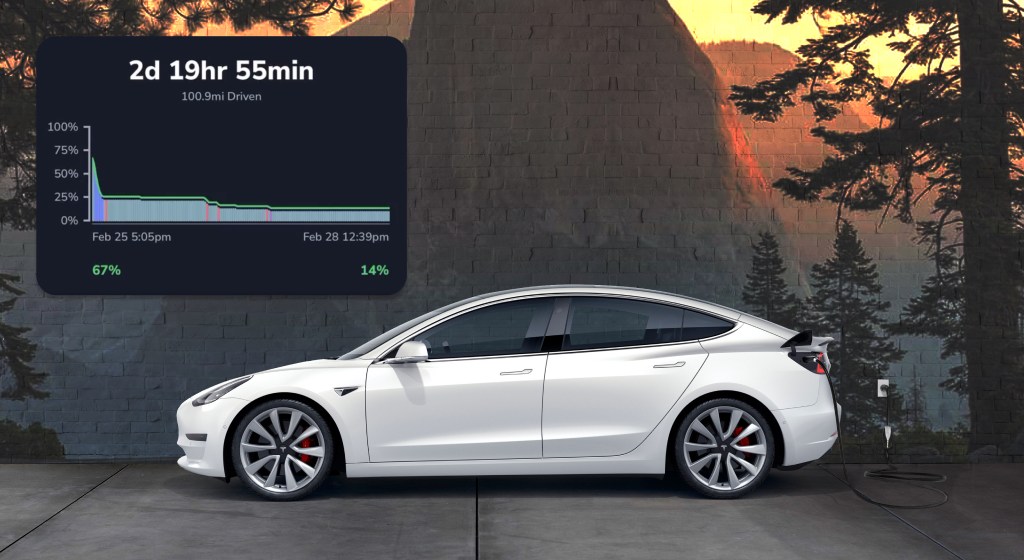
Totally more epic usage reports are live now! Get insights into trips, charges, idle usage and anything in between. Learn how to get the most from your battery. To find your usage report: Get a detailed play by play Battery level insights are now even better. Tap the “Examine” option in the top right to…
-
Find Chargers Open to Non-Teslas on the Supercharger Map
In: Feature Tour
Our best in class Supercharger map just got even better! You can now filter by chargers open to non-Teslas, while also enjoying speedier performance and enhanced data. Check out TezLab’s public Supercharger map to plan your adventure and find the perfect charger for your trip. How to use the filter To use the chargers open…
-
Your EV Usage Report
In: Feature Tour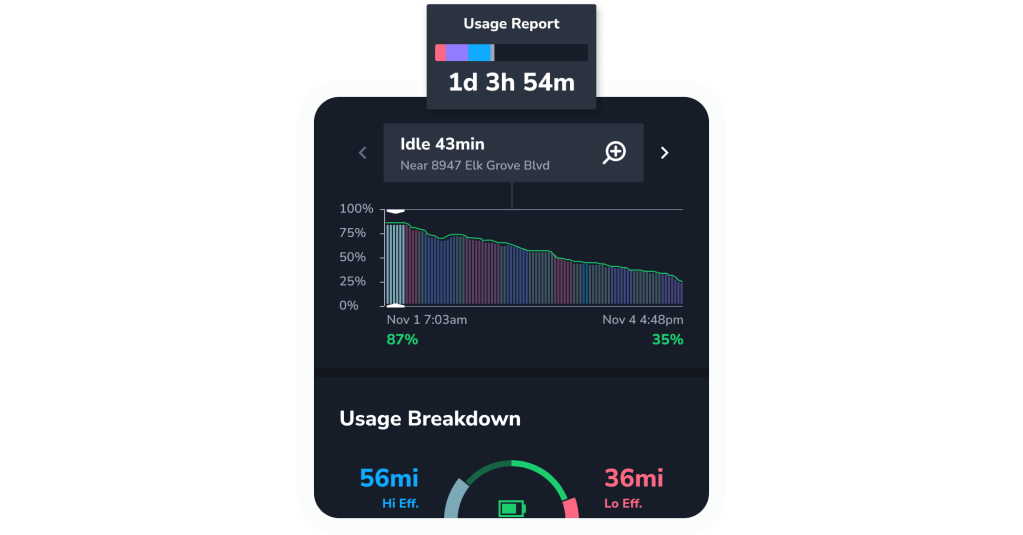
Get your own color-coded breakdown of how you use your electric vehicle, including your battery level, idle time, and efficiency stats. How to find your usage report Explore your comprehensive report Battery level See how many miles you’ve driven and how your battery has performed over the time period shown on your report. Your drives…
-
Your EV Savings on Gas and Charge Costs
In: Feature Tour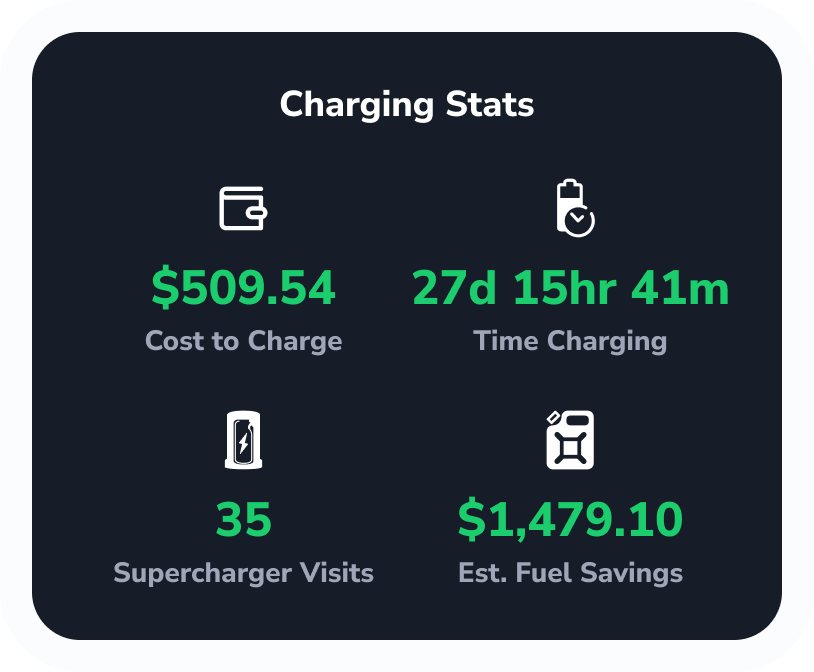
Track your costs and savings in TezLab to learn how much money you’ve saved on gas by driving an electric vehicle, and how much you’ve spent on charging. Keep tabs on your overall savings, and track costs by each charger you use. Understand your costs at any Supercharger, as well as with your at-home charging…
-
Tesla’s API: From Old to New, With Improved Customer Privacy / Security in View
In: App UpdateTesla’s API: From Old to New, With Improved Customer Privacy / Security in View At TezLab customer security and privacy are one of the key tenets to success. We work hard day and night on both the product aspect of customer security as well as deploy whatever technology we can from a purely technical perspective.…
-
Track Your EV’s Current Charge
In: Feature Tour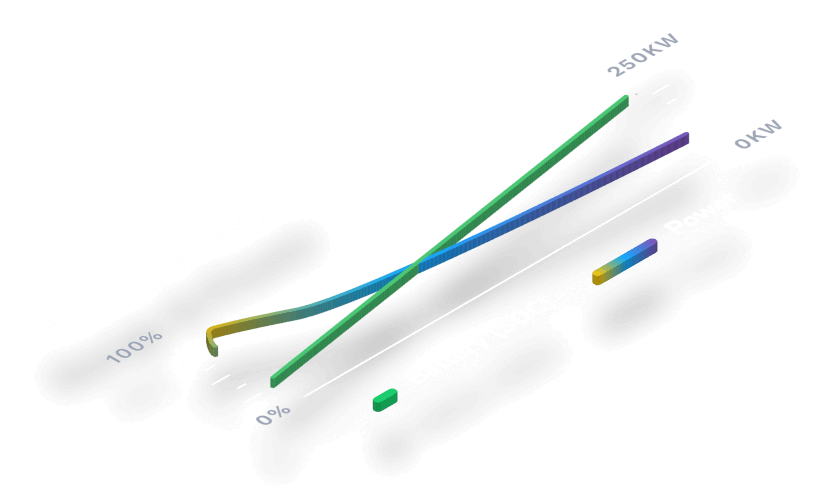
Gain insights into your electric vehicle’s live charging status, from how much time is remaining to your real world estimated range. Access your vehicle’s charging stats To access your EV’s charging stats, start by opening the TezLab app on your phone. Download TezLab here. If your vehicle is actively charging, you’ll see a green charging…
-
Community Reviews in the Supercharger Map
In: Feature Tour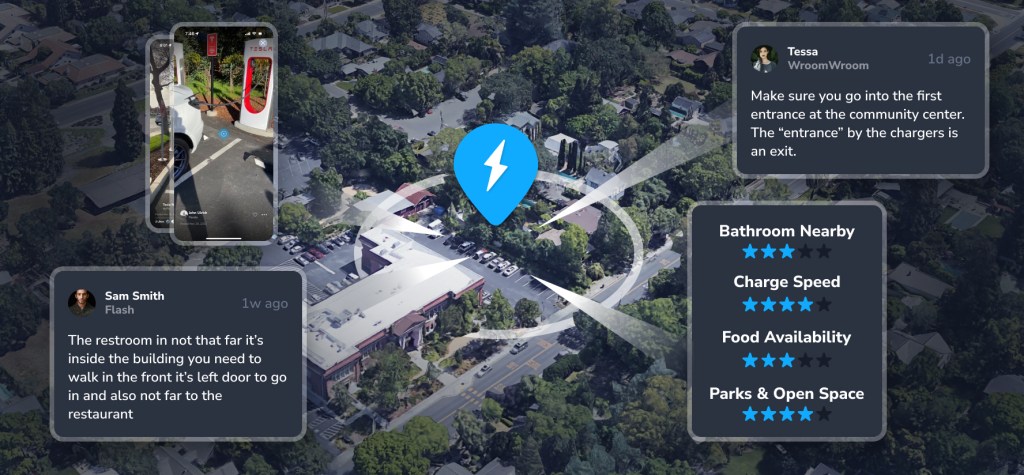
Use our best in class Supercharger map to find the perfect charger for your trip. Access the Supercharger map right from your phone using the TezLab app, or visit the brand new public map online. From video reviews to ratings on charger speed and food availability, community features in the Supercharger map can help you…
 Tezlab Blog