

Join groups to engage with others who are embracing the EV lifestyle.
Find groups to join
You can search for specific groups, explore suggested groups, or start your own!
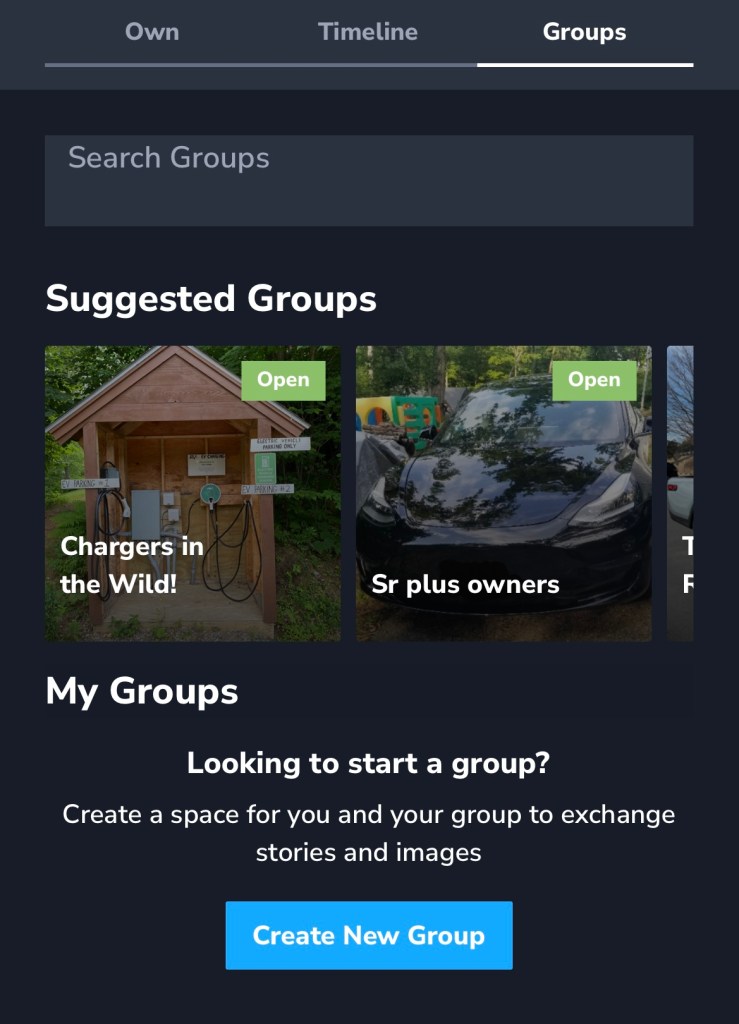

1. Download or open TezLab

2. Navigate to the last tab on the bottom of your screen

3. Select “Groups” in the top right corner
What you’ll see in group pages
After you’ve opened a group page, check out the overview of the community. You’ll see the:
- title and description of the group
- how many members have already joined
- percentage breakdown of types of vehicles
- sustainability statistics, including how many trees have been planted
- 7-day drive leaders
- 7-day charge leaders
- distance driven in the past 7 days, and all time
- option to join the group
- timeline of recent posts
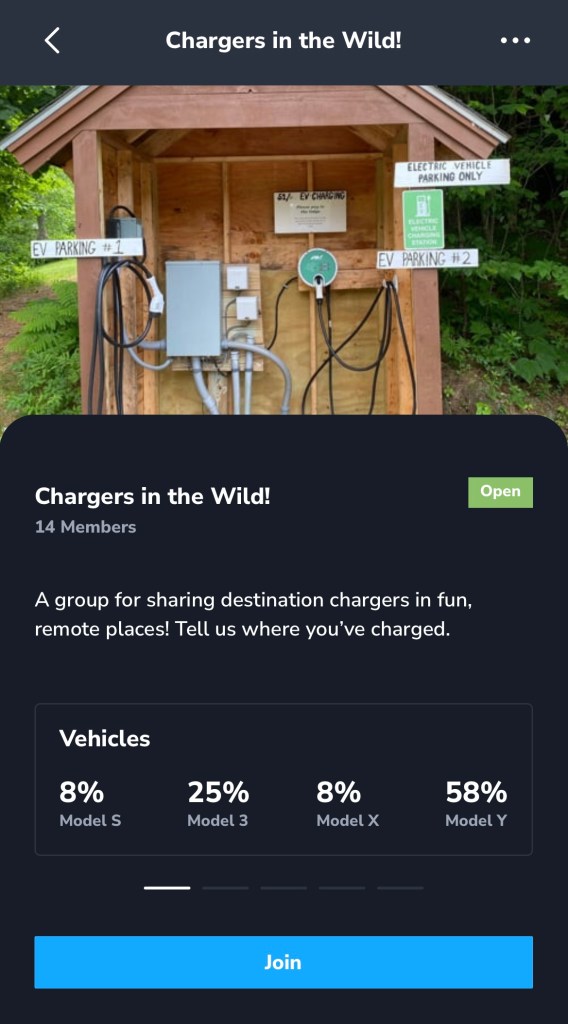
To join the group, click on the blue “Join” button below the overview.
Create your own group
By creating a space to exchange stories and images with other EV drivers, you can start a new community based on your interests.

If you want to connect with friends and others who you get to know through your group, use TezLab’s follow feature to easily stay connected.
Want to share your stats with a public link?
Share your public profile to send your stats to friends, family, and followers. If they also drive an electric vehicle, maybe they’ll want to join your group!
As always, happy driving.
Download TezLab here, and subscribe to (or gift) TezLab Pro to unlock access to all features.
 Tezlab Blog
Leave a comment