
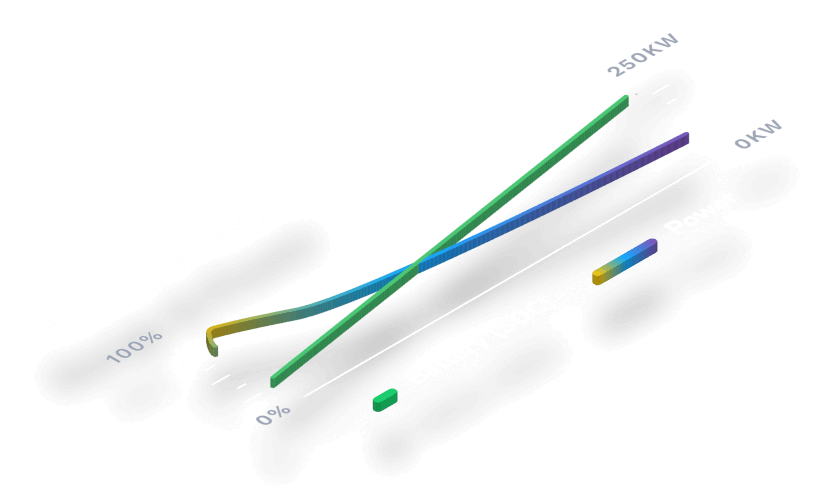
Gain insights into your electric vehicle’s live charging status, from how much time is remaining to your real world estimated range.
Access your vehicle’s charging stats
To access your EV’s charging stats, start by opening the TezLab app on your phone. Download TezLab here.

If your vehicle is actively charging, you’ll see a green charging icon at the top of your home screen.
Click into the green button to access your current charge information.
Learn what’s happening with your charge
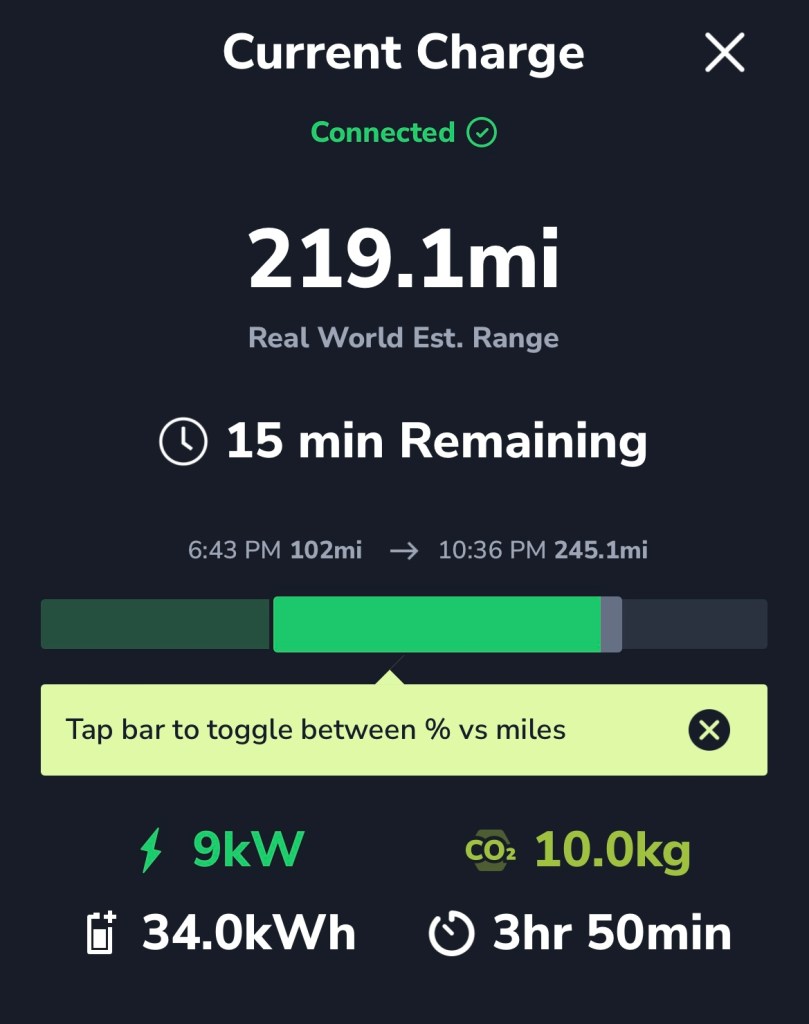
Your Current Charge screen shows you all the details of your EV’s current charge:
Overview
Learn your vehicle’s real world estimated range based on the current battery status, as well as how many minutes are remaining in the charge.
You’ll find a green bar that indicates your progress in the current charge. Tap the bar to toggle between percent and miles.
Below the bar, see the speed of your charge (in kW), estimated CO₂ emissions (in kg), energy added (in kWh), and duration of charge.
Range & Power
Understand the efficiency of your charge, and learn when the best time of day is to charge your vehicle.
Your power indicates how fast your battery is charging. A higher power level means a more efficient charge.
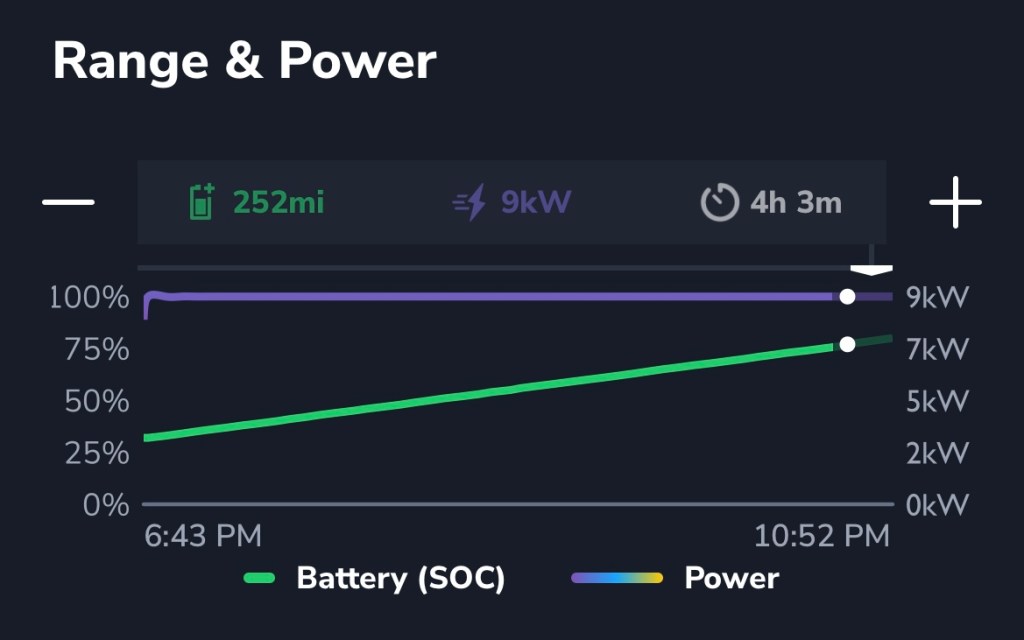
If you notice your battery level veering away from a straight line in the graph, you may want to adjust your charging schedule to charge when the upward slope is steepest.
Toggle the + and – buttons to adjust your view throughout the duration of the charge.
Carbon Impact
Every time you charge your electric vehicle, chances are the process is contributing to CO₂ emissions, as CO₂ is released during the electricity production process.
Want to work toward offsetting your carbon emissions from charging?
Plant a tree, right from your phone!
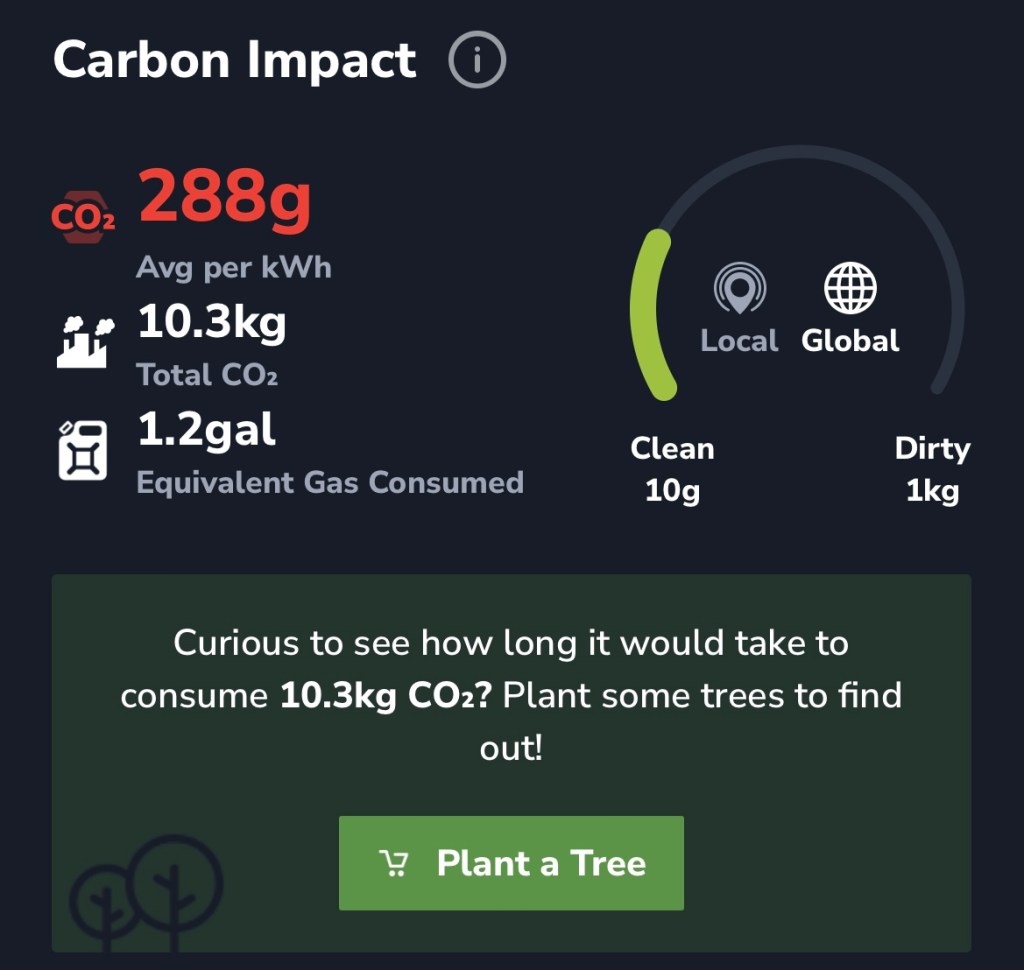
While planting trees is not equivalent to an immediate carbon offset or a carbon credit, it is unquestionably positive for the planet.
Learn more about planting trees in our post Offset Your Emissions by Planting Trees.
Power Mix Report
Learn exactly what type of energy is being used to charge your EV.
See a basic “fossil free” vs “fossil fueled” percentage breakdown, or get granular by toggling to see specific sources such as nuclear, wind, or solar.
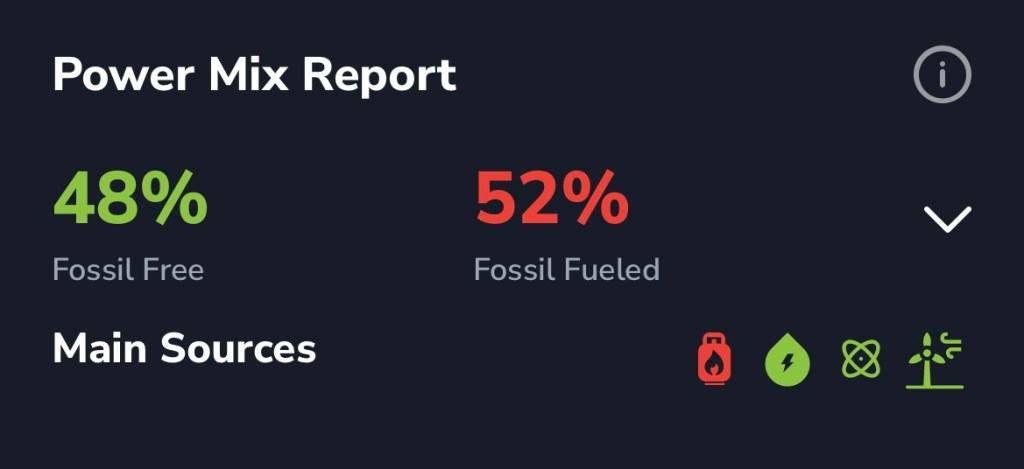
Want to learn more about your Range & Power, Carbon Impact, and Power Mix Reports? Check out our post on What Energy Source is Charging Your Tesla.
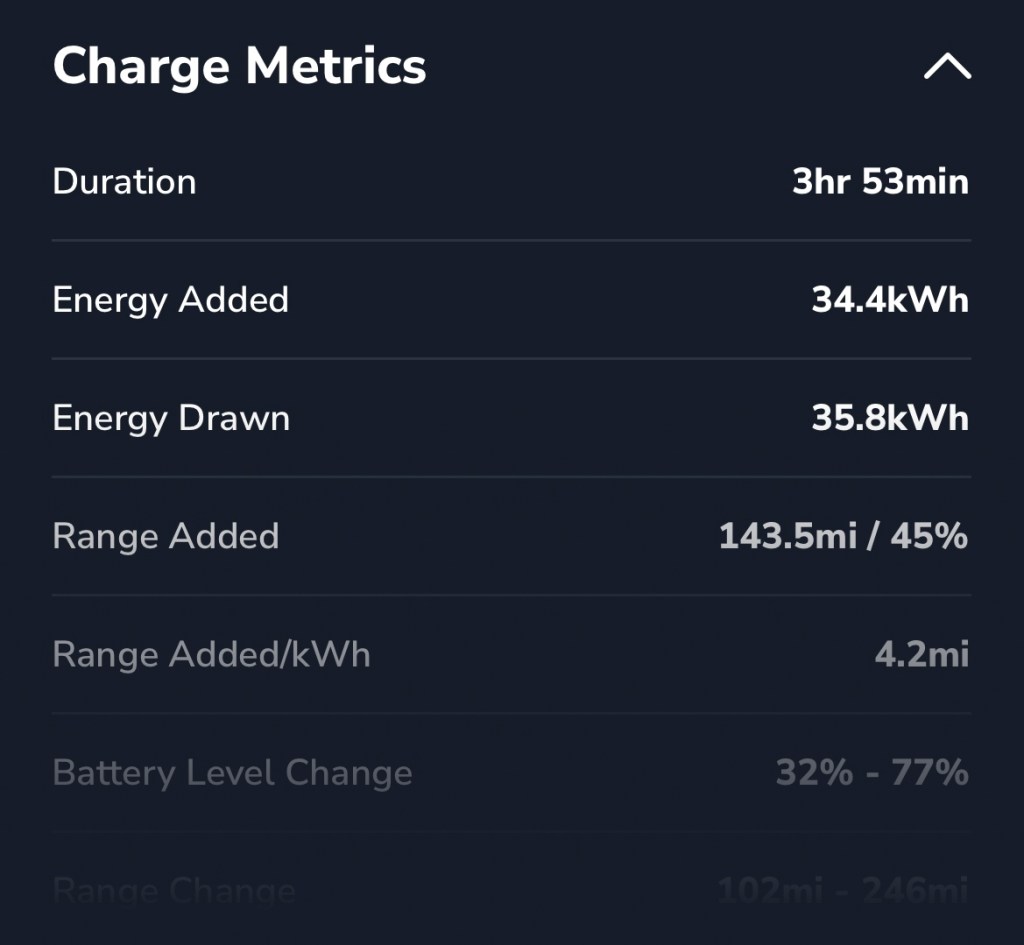
Charge Metrics
Here’s where it gets really interesting.
Go into the details on your current charge stats with over 15 comprehensive metrics.
These stats include battery level change, average charge rate, and voltage.
Charge up for your next adventure
As always, happy driving!
Unlock a comprehensive view of how you charge and use your battery with TezLab Pro, now available for purchasing or gifting.
 Tezlab Blog
Leave a comment