
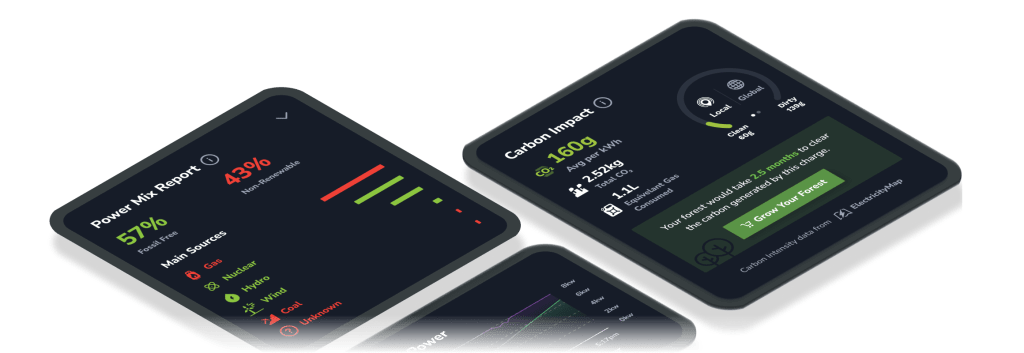
Want to know how much renewable energy is fueling your Tesla? Get a comprehensive breakdown of which electricity sources you use while charging by viewing TezLab’s power mix report.
Access your power mix report through any charge report on TezLab. There you’ll also find your carbon impact analysis and range & power graph.
While your electric vehicle may not be guzzling gas at the pump, you’re still likely contributing to CO₂ emissions. To minimize your emissions, charge at the right time for your area and maximize charge efficiency.
This is part two of the charge report breakdown. For part one, check out Optimize Your Tesla Charging Efficiency at Home.
Your carbon impact

Even when you’re driving an electric vehicle, unfortunately you’re still likely contributing to CO₂ emissions. With each charge, CO₂ is released during the electricity production process.
After you’ve accessed your charge report (scroll down the home screen in the TezLab app to Recently Tracked charges), check your stats for these three categories:
Average CO₂/kWh
The average amount of CO₂ produced per kWh of electricity for the full charge
Total CO₂
The total amount of CO₂ produced for the entire charge
Equiv. Fuel Volume
How much fuel you would need to burn to release the same CO₂ produced for the charge
The lower your numbers are here, the better.
The “local” and “global” ranges on the right-hand side each show the lowest and highest observed carbon intensities in the month prior to the charge.
To offset your carbon emissions, grow your forest by planting real trees directly from the app.
Power mix report: your energy sources
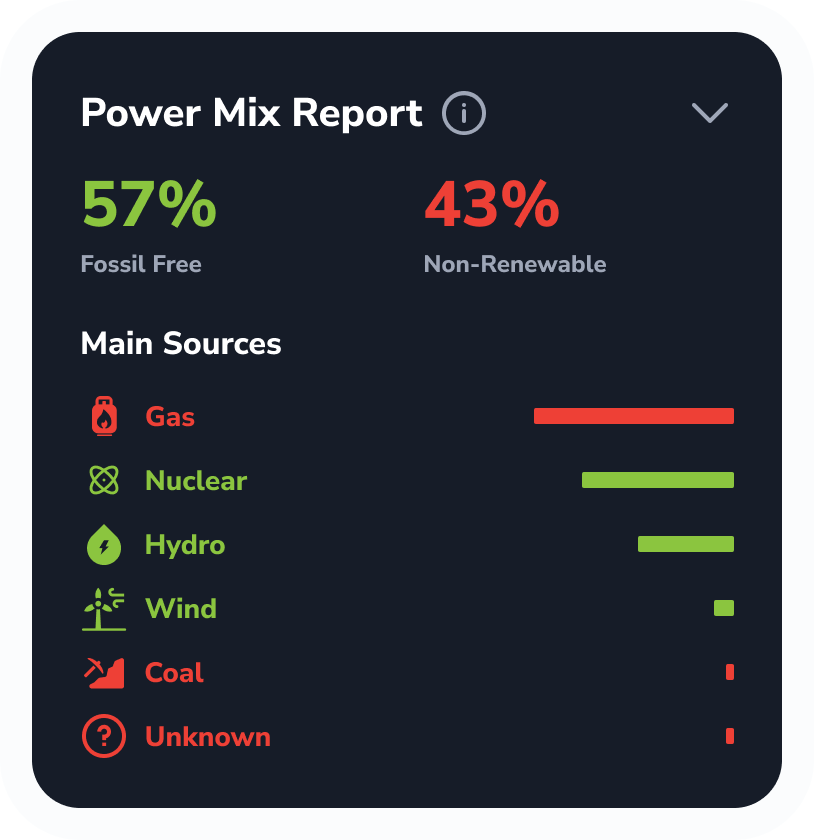
Your power mix report tells you exactly what type of energy is being used to charge your Tesla.
You can view a binary “fossil free” vs “fossil fueled” percentage breakdown, or get granular with specific sources such as nuclear, wind, or solar.
After you plug in, see where your electricity comes from based on your specific energy grid. For example, in Quebec, Canada, you’ll get mostly hydro power because of its prevalence in the region.
Your local energy sources may vary depending on factors such as:
- What time is it?
- Is the sun out?
- Is it windy?
You can schedule your charges in TezLab based on when the lowest gram/CO₂ amount is likely to occur.
To learn more, check out TechCrunch’s writeup on our energy source report in “Tesla owners can now see how much solar or coal is powering their EVs.”
☀️ Generate solar or green energy?
Account for the energy emissions you offset by setting a Zero Emission Offset.
To set your offset factor from a TezLab charge report, click on the location name (Charge Report > Click into location > Edit Location Settings) and toggle on the Energy Emission Offset option.
If you generate 60% of your energy use at home from solar panels, for example, and you buy the remaining 40% from the grid, you would set your Zero Emission Offset to 60%.
Range & power graph
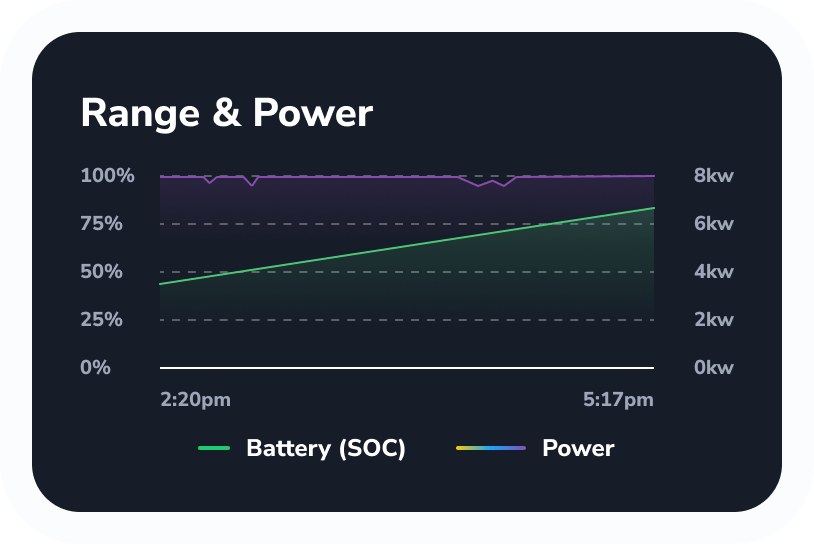
If you want to lower your carbon impact, it’s helpful to improve your charge efficiency.
Your power is how fast your battery charges. The higher your power level, the faster and more efficient your charge is.
If you notice your battery level veering away from a straight line in the graph, you may want to adjust your charging schedule to charge when the upward slope is steepest.
If you want to learn more about how to improve your efficiency, go back to part one of the charge report feature tour: Optimize Your Tesla Charging Efficiency at Home.
 Tezlab Blog
Leave a comment